
AI Marketing Tools for Small Business: 14 Affordable Picks by Category
Running marketing on a small-business budget is exactly where AI earns its keep — the best AI marketing tools let one person cover content, social, email, and customer support that used to need a whole team. This guide breaks the options down by category, with real pricing, so you can build an affordable stack that fits how you actually work.

Small businesses make up the vast majority of firms worldwide and a large share of global GDP, according to World Bank data on small and medium enterprises, and AI is one of the ways many now compete against bigger marketing budgets. The winning move is not buying every tool on the market — it is picking one solid AI tool for small business marketing per job and mastering it before adding the next.
Why Small Businesses Are Turning to AI Marketing Tools
AI marketing software for small business exists because the math works: a subscription that costs less than a night out replaces hours of manual work every week. Adoption is no longer experimental — it is how lean teams keep pace with competitors who have dedicated marketing departments.
Do more with a smaller team
AI lets a solo owner or a two- to three-person team produce content, schedule social posts, run email campaigns, and answer customer questions at a scale that used to require an agency. The results can be dramatic: Albert.ai’s AI-driven ad optimization helped a Harley-Davidson dealership in New York lift qualified sales leads by 2,930% within three months.
- Content creation and editing
- Social media scheduling and captioning
- Email personalization and send-time optimization
- CRM data entry and workflow automation
- First-line customer support via chatbots
Affordable, not enterprise-priced
Many of these tools start free or sit near the price of a streaming subscription, which is why budget AI tools for small business marketing have become the norm rather than the exception. The goal is one reliable tool per job, not a bloated stack of overlapping subscriptions nobody fully uses.
AI Tools for Content & Copywriting
Writing is usually the first job small businesses hand to AI, because blog posts, product descriptions, and ad copy eat the most hours for the smallest team.
ChatGPT and Jasper AI
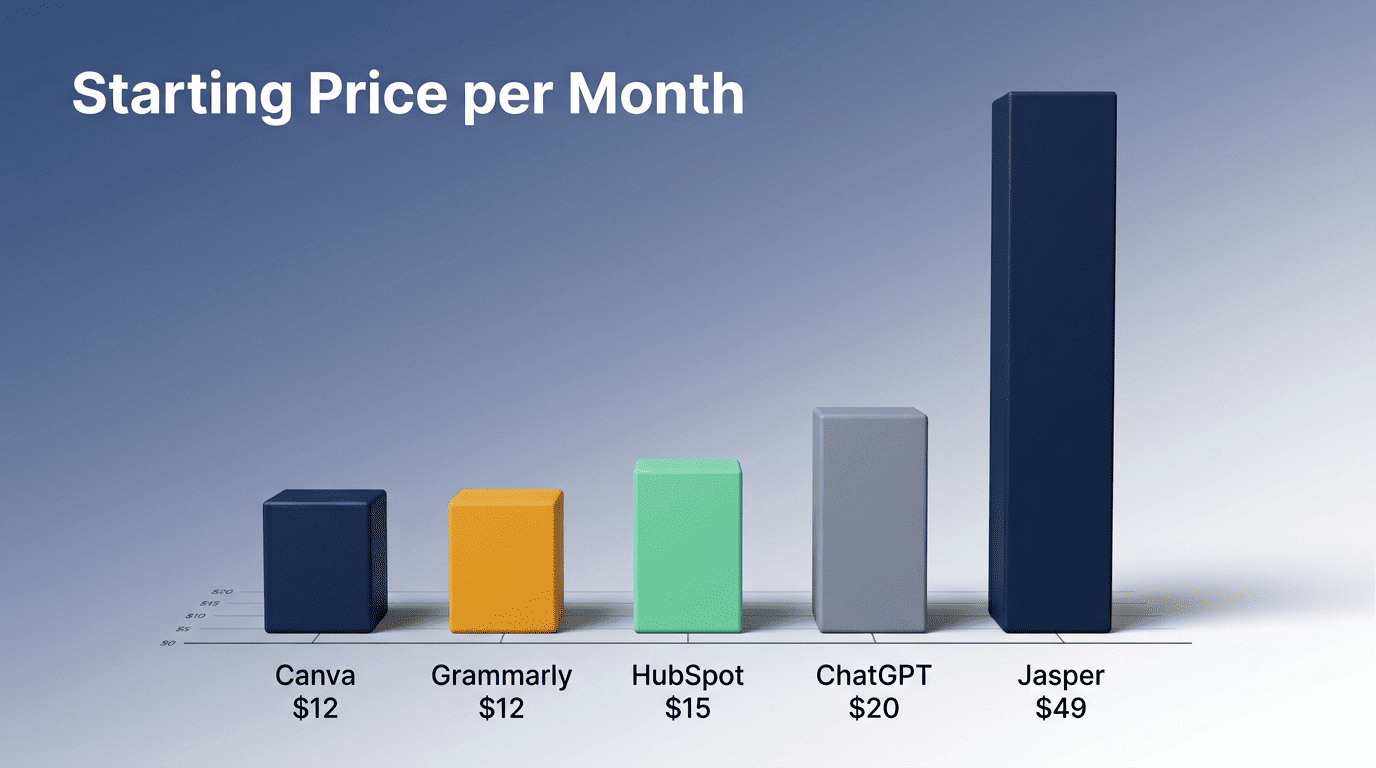
ChatGPT is the all-purpose brainstorming and drafting tool: it has a free tier, a Go plan around $8/month, and Plus at $20/month, and it works for outlines, first drafts, and quick rewrites. OpenAI documents ChatGPT’s current pricing and plans directly, which is worth checking before you commit to a tier. Jasper AI, by contrast, is built specifically for marketing teams — plans start from $49/month per seat, and it learns a brand’s voice so blogs, emails, and ads stay on-brand across every piece it writes.
Copy.ai and Grammarly
Copy.ai focuses on high-converting sales copy, social captions, and product descriptions that need to move a reader to act quickly. Grammarly, from around $12/month, polishes tone and clarity across everything a small team writes, from customer emails to landing pages, catching the small errors that undercut trust.
| Tool | Category | Starting Price | Best For |
|---|---|---|---|
| ChatGPT | Content | Free / $8-20/mo | General drafting, brainstorming |
| Jasper AI | Content | $49/mo per seat | On-brand marketing copy |
| Copy.ai | Content | Free tier available | Sales copy, social captions |
| Grammarly | Editing | ~$12/mo | Tone, clarity, proofreading |
AI Tools for Design & Visuals
Small businesses rarely have an in-house designer, so this category tends to save the most time relative to its cost.
Canva’s Magic Studio does the heavy lifting. The free plan alone unlocks more than 1.6 million templates, and Canva Pro (from around $12/month billed annually) adds Magic Studio tools that generate images from a text prompt, resize a single asset for every platform automatically, and remove backgrounds in one click — effectively a small design team living inside a browser tab.
Adobe Firefly is the commercially safer choice for brand imagery. Firefly is trained only on Adobe-owned and licensed content, a distinction Adobe explains on its Firefly product page, which matters for businesses that want to avoid copyright disputes over AI-generated visuals used in paid ads.
DALL-E fills the creative-concept gap. It turns text prompts into original artwork and is useful when a brand needs a distinctive visual concept rather than a template-based design.
A single Magic Studio-style toolkit typically covers:
- Text-to-image generation for hero graphics and social art
- One-click background removal for product photos
- Automatic resizing across ad, post, and story formats
- Brand kit locking for consistent colors and fonts
AI Tools for Social Media
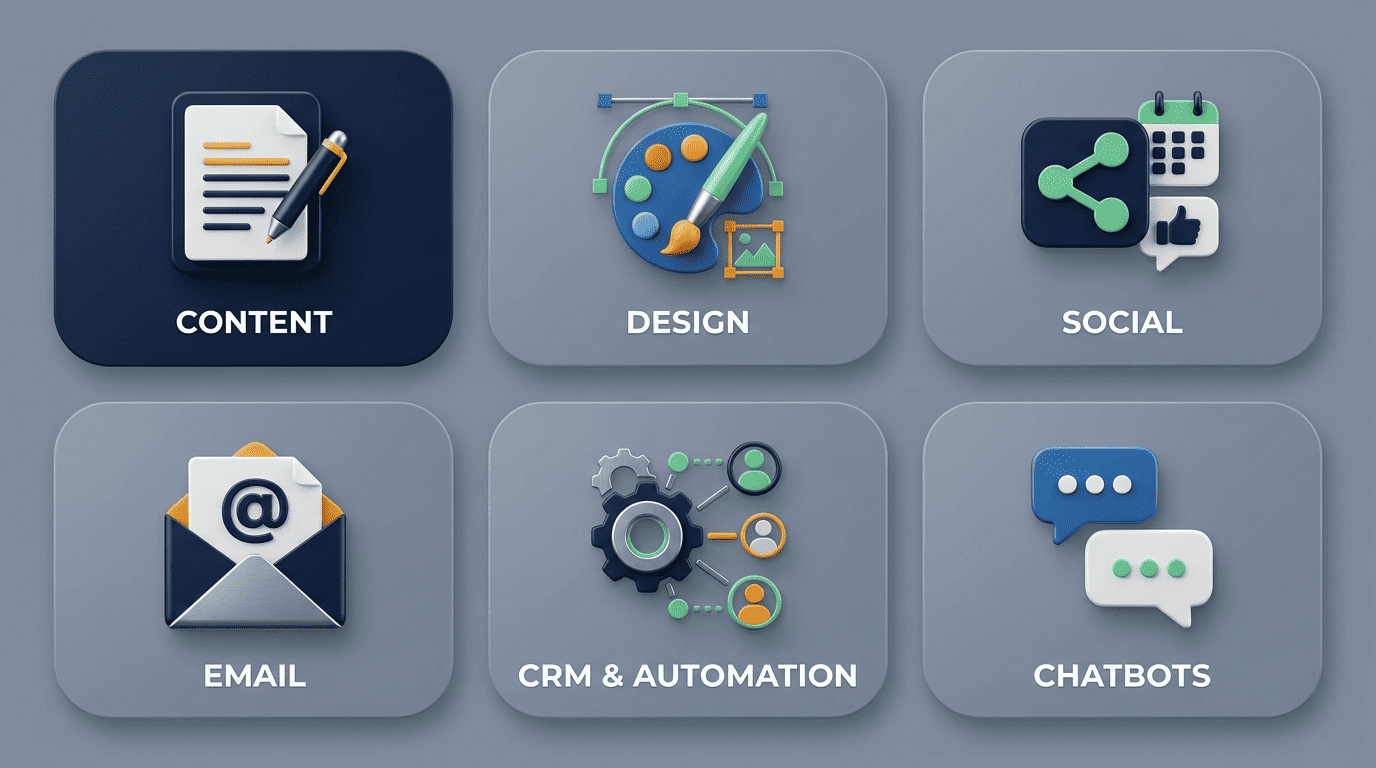
Posting consistently across multiple platforms is one of the most time-consuming parts of small-business marketing, and it is also where AI scheduling tools show up fastest.
Buffer and SocialBee
Buffer combines a genuinely useful free tier with an AI Assistant that drafts captions, making it a natural starting point for a small team’s posting cadence. SocialBee goes further with AI post recommendations and automatic content recycling, so evergreen posts keep resurfacing without manual re-scheduling.
Sprout Social and Flick
Sprout Social is the heavier, analytics-rich option, starting around $199 per seat per month on annual billing (or $249/month billed monthly) — built for teams that need deep reporting, not just scheduling. Flick is the budget all-in-one alternative, covering scheduling, hashtag research, and analytics across Instagram, Facebook, LinkedIn, and TikTok in a single subscription.
| Tool | Starting Price | Standout Feature |
|---|---|---|
| Buffer | Free / paid tiers | AI Assistant for captions |
| SocialBee | Paid, budget-friendly | Content recycling |
| Sprout Social | ~$199/seat/mo (annual) | Deep analytics and reporting |
| Flick | Budget all-in-one | Multi-platform hashtag + scheduling |
AI Tools for Email Marketing
Email still delivers some of the best return on effort for small businesses, and AI now handles the guesswork around subject lines, content, and timing. Mailchimp adds AI subject-line suggestions and content generation on top of the drag-and-drop builder most small businesses already know, while Brevo’s free plan allows up to 300 emails a day — enough for most small subscriber lists without paying anything. Seventh Sense goes a step further and tailors each recipient’s delivery time and frequency individually, working alongside HubSpot (from $80/month) or Marketo (from $450/month) to lift open rates without changing a single word of the email itself.
AI Tools for CRM & Automation
Once content, social, and email are moving, the next bottleneck is usually connecting them so leads do not fall through the cracks.
HubSpot Marketing Hub and Breeze AI
HubSpot has a genuine free tier and a paid Marketing Hub Starter plan at around $15/month per seat on annual billing (or $20/month billed monthly), built around Breeze AI for content and campaign assistance alongside a CRM that holds every contact in one place. As HubSpot describes it on its own product pages, Breeze AI is designed to sit across the whole customer journey rather than as a single bolt-on feature, which is part of why it functions well as a small-business hub rather than a point solution.
Zapier for automation
Zapier connects thousands of apps — from a free tier up to plans starting near $19.99/month — so that an AI-drafted email, a form submission, or a CRM update can trigger the next step automatically, without writing a line of code. For a small team, this is often the difference between a lead sitting in an inbox overnight and a lead getting an instant automated follow-up.
Breeze: AI agents and features that power the entire platform.HubSpot
AI Chatbots & Customer Support
Tidio’s Lyro handles routine questions around the clock. It answers common customer queries instantly and captures leads outside business hours, with no technical setup required from the business owner.
Drift and Tars focus on qualifying leads through conversation. Both route a visitor’s questions to the right next step — a demo booking, a pricing page, or a human agent — before the visitor has a chance to leave the site.

Chatbot.com rounds out the no-code options. It is built for businesses that want a working chatbot live on their site within a day, without hiring a developer.
- Instant responses, 24/7 availability
- No-code setup for non-technical owners
- Automatic lead capture outside business hours
- Smooth handoff to a human agent for complex questions
How to Choose (and Whether They’re Worth It)
Most small businesses do not need five AI marketing tools on day one — they need one tool solving the job that currently costs the most time or money. A few signs a tool is worth keeping:
- It saves at least a few hours a week within the first month
- The free or entry tier already covers your actual volume
- Output needs light editing, not a full rewrite, before it goes out
- Your team actually opens it daily instead of forgetting it exists
Start small, measure, then expand
Pick one job first, usually content or social, and start on a free or low-cost tier before paying for anything premium. Measure whether the tool actually saves time or improves results, and only add the next tool once the first one has proven its worth. A human should still review every AI output before it reaches a customer, since brand voice and accuracy are easy to lose when a task is fully automated.
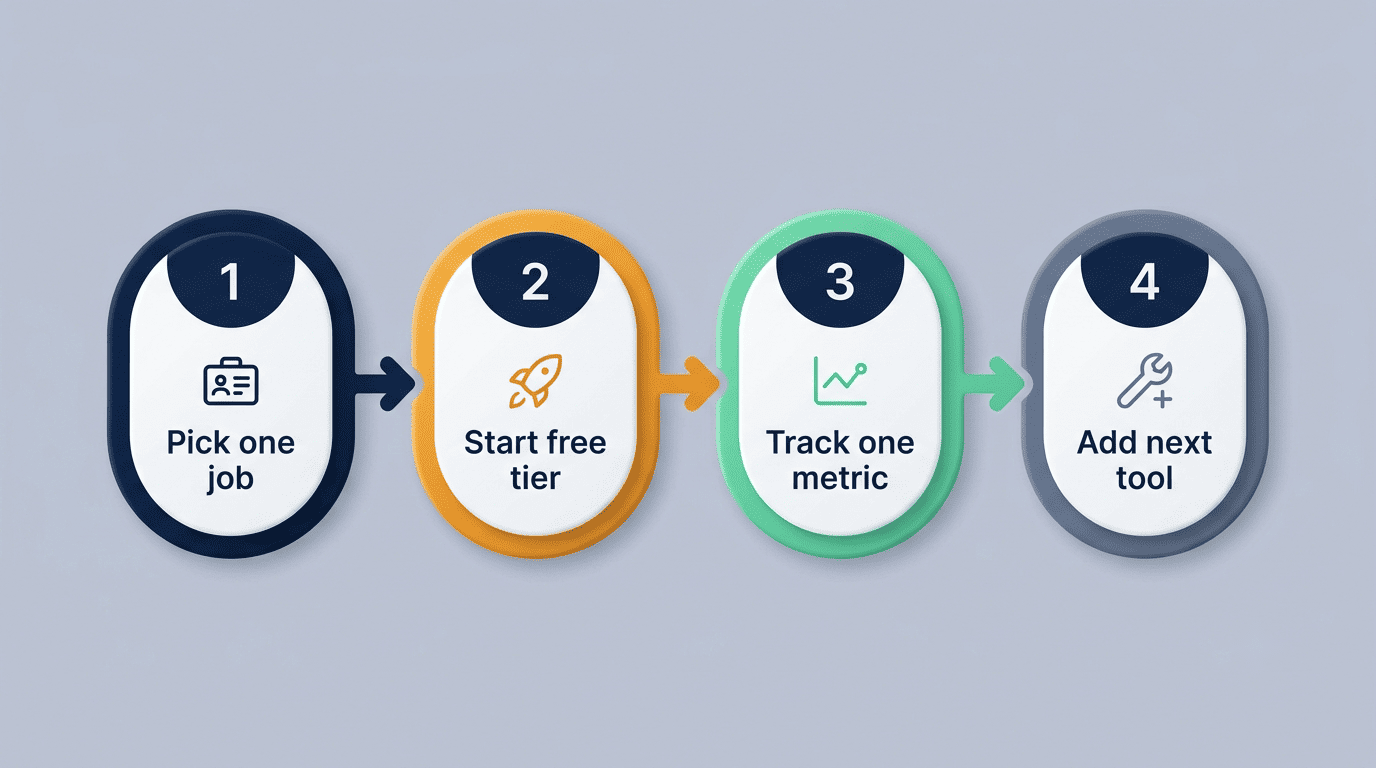
- List the marketing task eating the most hours each week
- Pick one AI tool built for that specific job, not a general-purpose suite
- Start on its free or cheapest paid tier
- Run it for 2-4 weeks and track a single metric (leads, time saved, open rate)
- Keep a human reviewing outputs before they reach customers
- Add a second tool only once the first is clearly paying for itself
| Category | Best Starting Tool | Starting Price |
|---|---|---|
| Content | ChatGPT | Free |
| Design | Canva | Free |
| Social | Buffer | Free |
| Brevo | Free | |
| CRM/Automation | HubSpot | Free |
Related AI marketing guides
Building a full stack? Explore free AI tools for marketing and AI content marketing tools to round out your marketing workflow.
Frequently Asked Questions
What is the best AI tool for small business marketing?
It depends on the job: ChatGPT for content, Canva for design, Buffer for social, Mailchimp for email, and HubSpot for CRM and automation.
How can small businesses use AI for marketing?
To draft content, design visuals, schedule and caption social posts, optimize email send times, answer customers via chatbots, and automate repetitive tasks.
Are AI marketing tools worth it for small businesses?
For most, yes — they let a tiny team compete with bigger budgets, and free or low-cost tiers make the risk small. Start with one tool and measure results before adding another.
What is the cheapest AI marketing tool?
Several have free tiers, including ChatGPT, Canva, Buffer, HubSpot, and Zapier. Paid upgrades often start around $8-20 per month.
Can AI replace a marketing team for a small business?
Not entirely. AI handles drafts, scheduling, and routine replies, but a human still sets strategy, edits for brand voice, and approves what customers see.
How much do AI marketing tools cost?
Ranges widely, from free tiers to enterprise pricing. Common small-business picks run $8-49 per month per tool, while social suites like Sprout Social start higher, around $249/mo.